Today
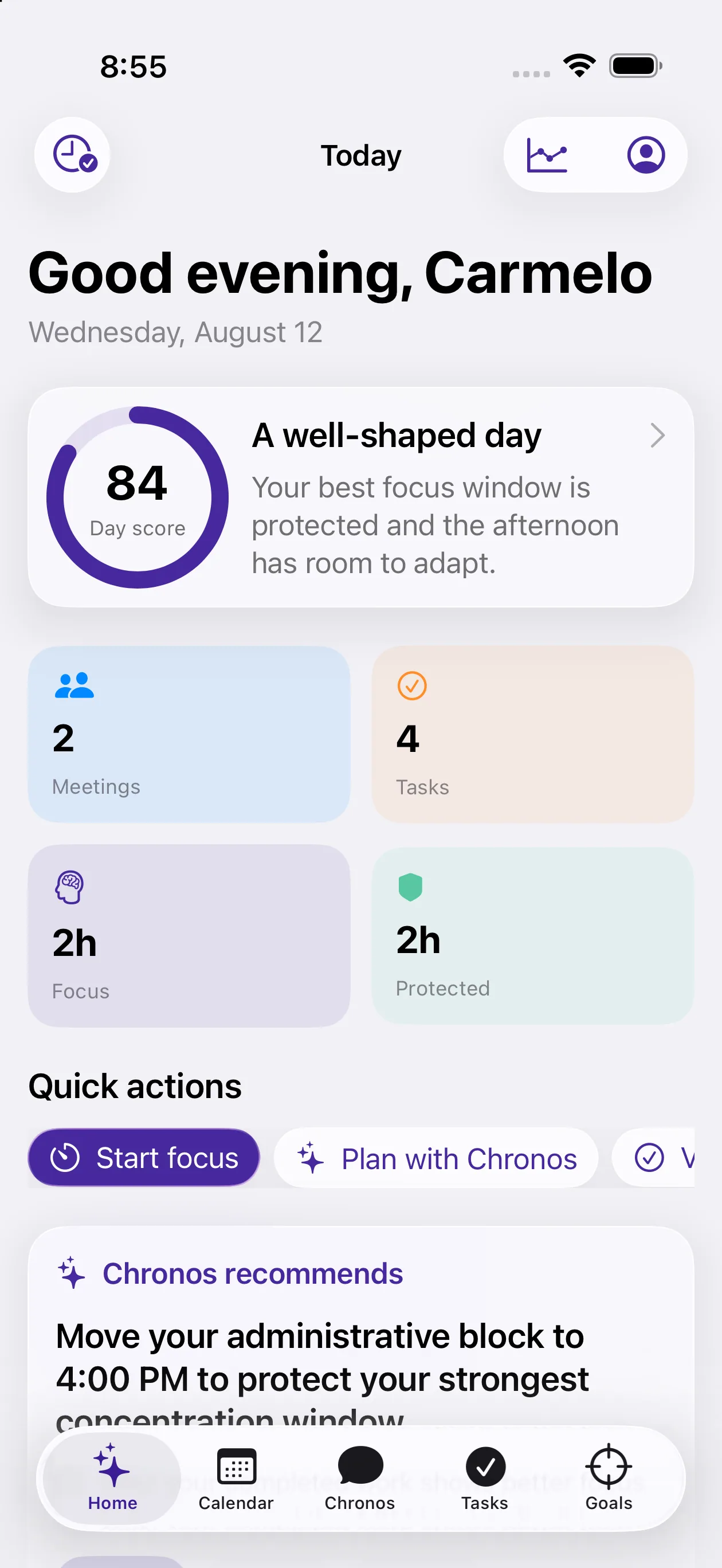
See your schedule, priorities, focus time, and next actions in one calm view.
AI calendar assistant and daily planner
AI Time brings calendars, tasks, goals, focus sessions, and personal insights into one intelligent planning system. Chronos helps turn busy schedules into realistic next steps—while you stay in control of every meaningful change.
Built for professionals, students, entrepreneurs, and teams managing real priorities across busy days.
Authentic product viewsCaptured from the current app
Inside AI Time
These are authentic screens from the current AI Time build. The application interface is shown in its original proportions and remains unchanged.
See your schedule, priorities, focus time, and next actions in one calm view.
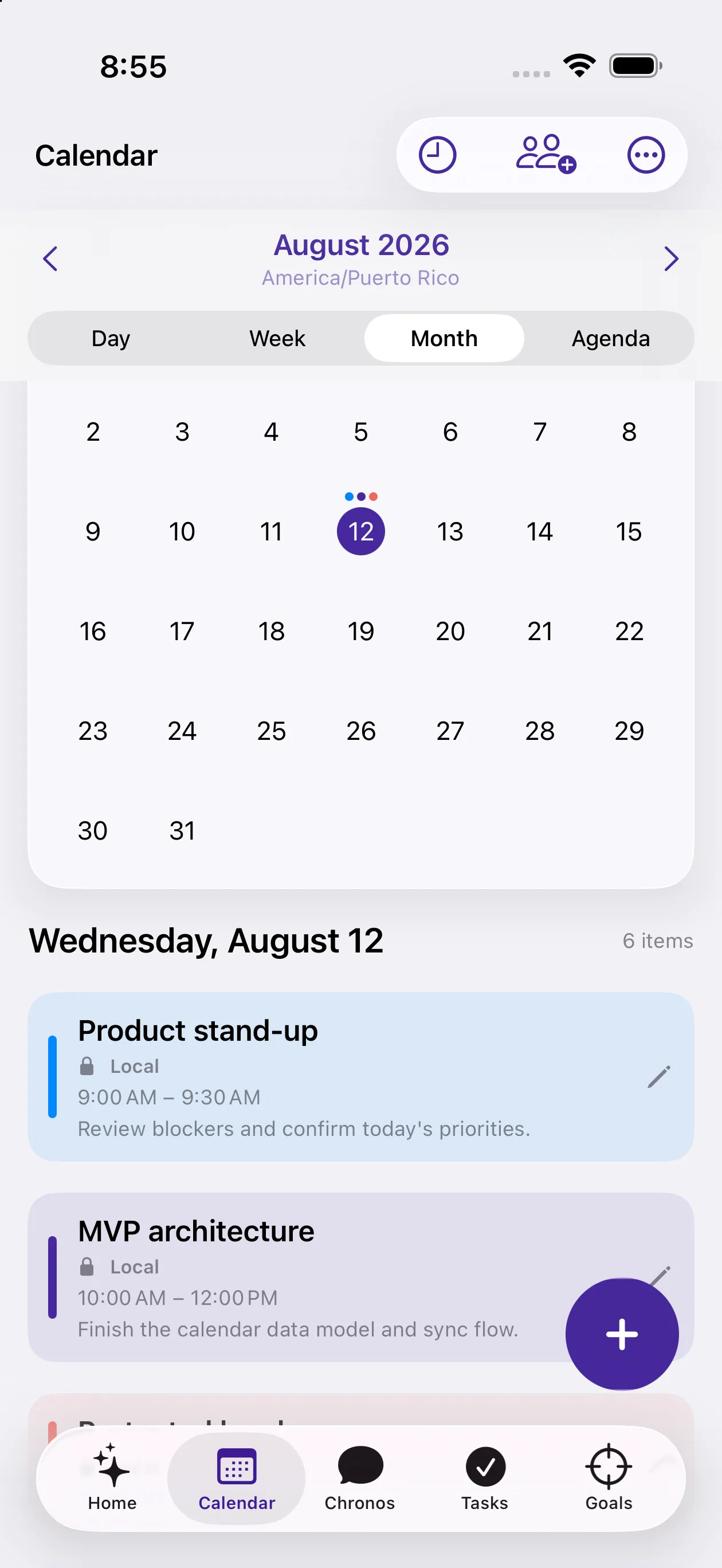
Review day, week, month, and agenda views without losing the context of your plan.
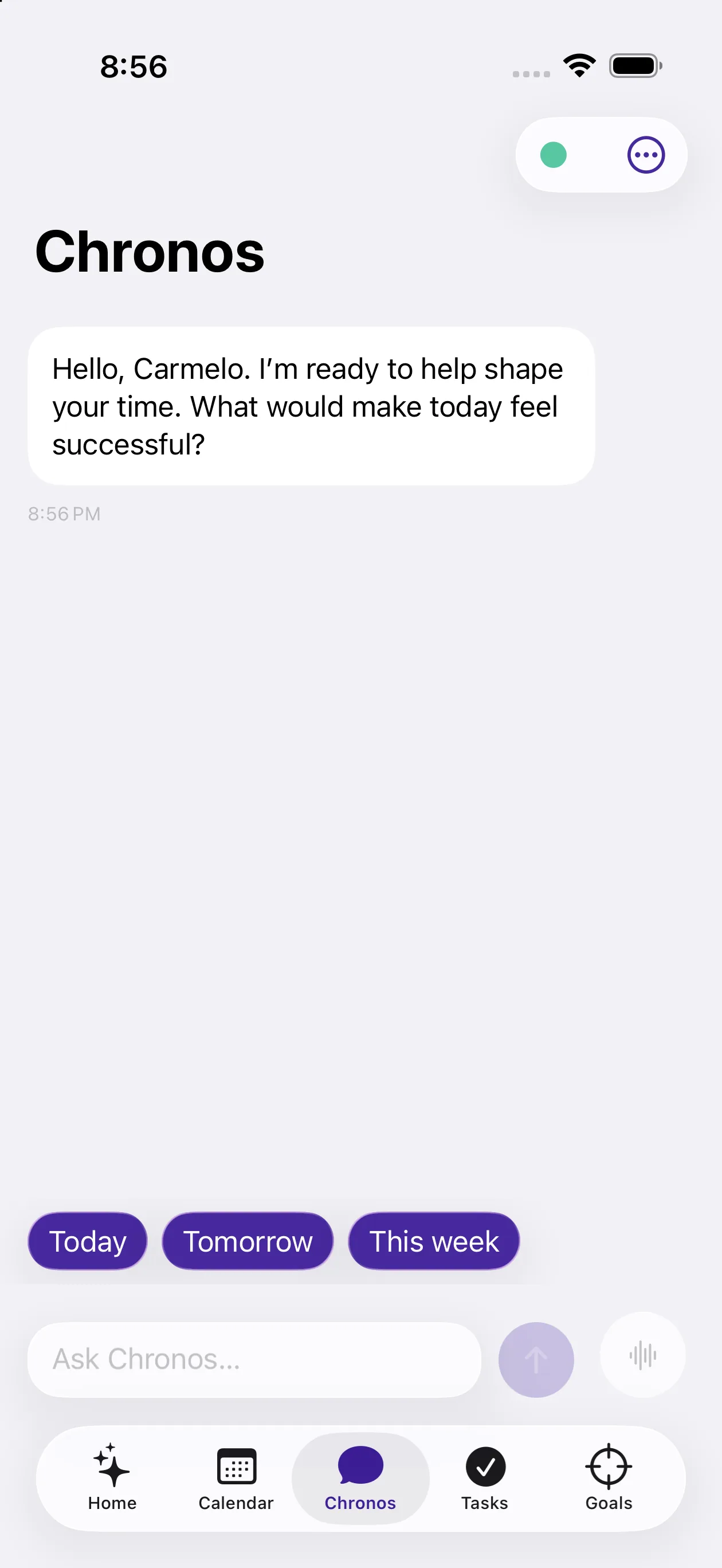
Ask for planning help in natural language and review every proposed change.
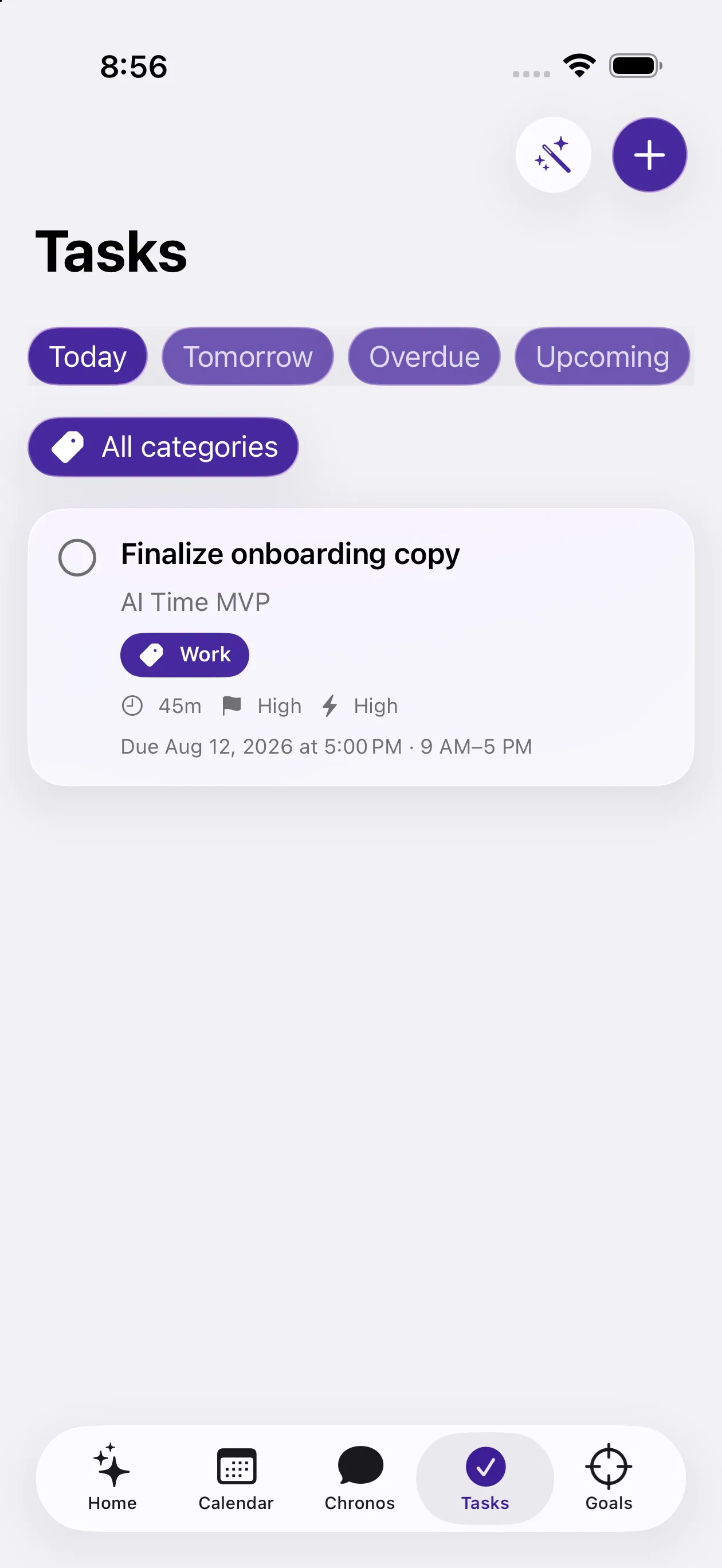
Organize work by date, priority, category, and completion status.
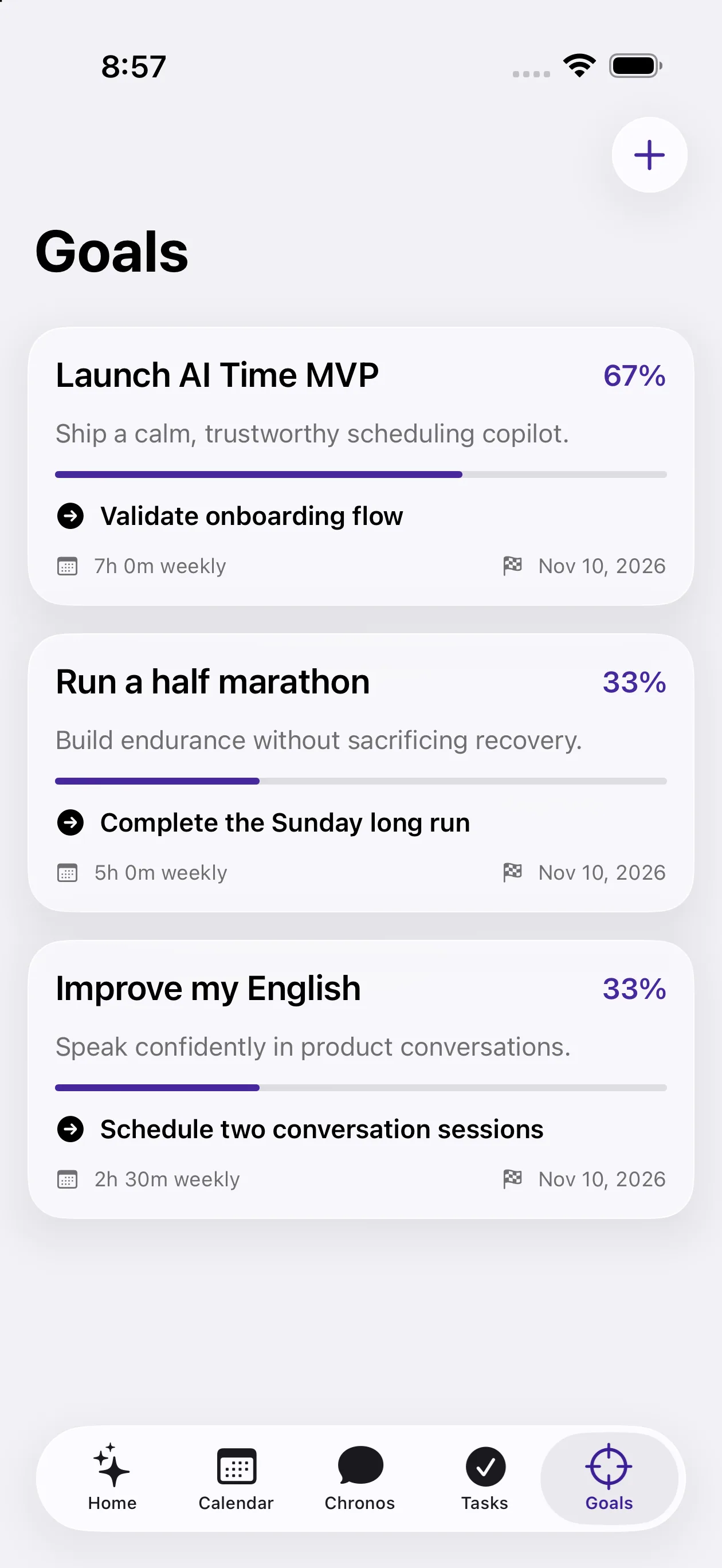
Connect milestones and tasks so progress stays tied to real action.
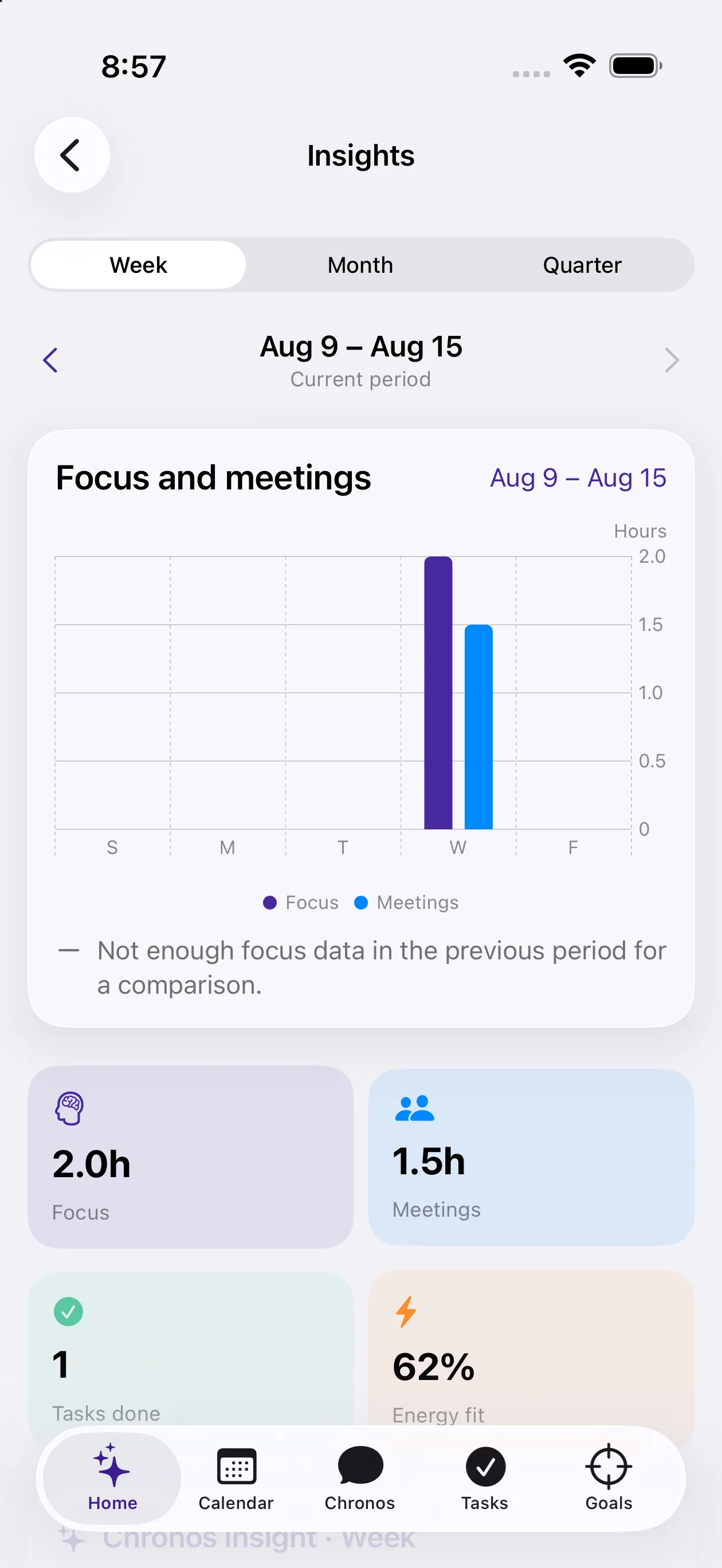
Compare focus, meetings, completed tasks, and schedule balance over time.
Swipe or scroll to explore the product
Why AI Time
Bring commitments, priorities, goals, and focus into one daily view instead of planning across disconnected tools.
Connect tasks and goals to the schedule where the work will actually happen, with Chronos available when plans need help.
Review AI proposals, choose optional calendar connections, and confirm meaningful actions before they are applied.
Core capabilities
AI Time connects planning surfaces that usually live apart, so decisions made in one area remain useful everywhere else.
Bring private planning cards and optional connected calendars into one view, with day, week, month, and agenda modes.
Review your calendarUse natural language to explore your schedule, create tasks, shape goals, and preview supported changes before they happen.
Meet ChronosCapture priorities, set due dates and categories, filter what matters now, and keep completion connected to your goals.
Organize tasksDefine outcomes, milestones, next actions, deadlines, and linked tasks—then see progress update as work is completed.
Plan goalsReserve focused work alongside meetings, tasks, and protected personal time instead of treating attention as leftover space.
Protect focus timeUnderstand how your time is distributed across focus, meetings, personal commitments, and tasks with period comparisons.
Understand your timeHow it works
Start with the information you choose to add. AI Time organizes it into a clearer picture and gives you tools to act without losing context.
Explore AI planningCreate private calendar cards or optionally connect Apple Calendar and Google Calendar.
Capture tasks, organize categories, create goals, link milestones, and reserve focus time.
Use Chronos to understand the day or prepare a supported change, then review the proposal before confirmation.
Planning with Chronos
Chronos understands natural-language planning requests alongside the calendar, task, and goal information available to AI Time. It can explain options and prepare supported actions without hiding the decision from you.
10:00–11:30 AM · Between existing commitments
Review the timing before adding it to your plan.
Built for real schedules
Balance meetings, deadlines, and deep work without losing sight of the day’s most important outcome.
Bring classes, assignments, study sessions, and personal goals into a plan that fits the available time.
Keep shifting priorities connected to calendar reality while protecting space for strategic work.
Coordinate shared calendar commitments while keeping individual tasks, goals, and focus visible.
Security and privacy
AI Time is designed around scoped accounts, optional calendar connections, secure session storage, and explicit authorization for meaningful changes.
Read the privacy overviewApple Calendar and Google Calendar remain user-controlled and can be disconnected.
Persisted planning records are associated with the authenticated account.
Device sessions use secure storage, while service credentials remain server-side.
Chronos uses the permission flow before meaningful external or destructive changes.
Frequently asked questions
These answers reflect capabilities present in the current product.
AI Time is an intelligent daily planner that combines calendars, tasks, goals, focus sessions, insights, and an AI planning assistant in one productivity app.
A standard calendar records commitments. AI Time adds task and goal context, protected focus time, planning insights, and Chronos—an assistant that can interpret planning requests and propose practical next steps.
Chronos can answer supported questions about your schedule, help create tasks, shape goals, and prepare supported calendar or planning changes. The app shows a preview when confirmation is required.
Meaningful external or destructive actions require the appropriate authorization and confirmation. You can review a proposal before it is applied.
AI Time supports its own private calendar cards and optional Apple Calendar and Google Calendar connections. Calendar access is user-controlled and can be disconnected.
Yes. Tasks can be linked to goals, and goal progress can update as related work is completed.
Insights can compare focus time and meeting time, show completed tasks, summarize schedule distribution, and provide period-based context. Insights depend on the calendar and task information available to the app.
The app includes controls to export account information, clear Chronos history, delete planning items, disconnect calendars, and initiate account deletion.
AI Time is in active development. Availability and App Store details will be shared when they are confirmed.
Intelligent planning, one day at a time
Explore how AI Time combines calendar clarity, smart task management, focus, goals, and AI-assisted planning.
Explore AI TimeApp Store availability will be announced when confirmed.